Page 4 of 7
Re: 3D capturing
Posted: Wed May 15, 2013 5:33 pm
by Technicmaster0
Placlutwo wrote:Okay... after messing around for a bit, I can't get this 3D to work on Youtube.
Well, I can get it to work its just super stretched and looks poopy. Can anyone give me pointers on how to make in 3D using Sony Vegas?

Also sidenote, with capturing I can only get 49FPS in 3D, :/ but I understand this is still being tested.
Youtube supports a maximum of 30fps so 49fps shouldn't be a problem

.
You could put "yt3d:aspect=4:3" or "yt3d:aspect=16:9" (without "") into the tags of your video (depends on the aspects you used for your video) to make the video less stretched.
Re: 3D capturing
Posted: Wed May 15, 2013 6:19 pm
by Placlu
I must be doing something completely wrong.. :S
http://www.youtube.com/watch?feature=pl ... Vjbad5JsAs
This is what I got..
Colours suck & yea super stretched. I have NO idea how this 3D shizz works.
Ultimately i'm hoping for the ability to record a game & Upload it in 3D so the 3 people can watch it, but also have it play normally in 2D... is that even possible :S
I'm a newb :O
Re: 3D capturing
Posted: Thu May 16, 2013 1:24 pm
by Technicmaster0
Placlu wrote:I must be doing something completely wrong.. :S
http://www.youtube.com/watch?feature=pl ... Vjbad5JsAs
This is what I got..
Colours suck & yea super stretched. I have NO idea how this 3D shizz works.
Ultimately i'm hoping for the ability to record a game & Upload it in 3D so the 3 people can watch it, but also have it play normally in 2D... is that even possible :S
I'm a newb :O
Do you already have
in the
tags? It will fix the problem with the stretching (I think that you recorded the video in 16:9).
The colors come from the way of displaying the 3D at youtube. You can change the settings if you press "3D"-> "advanced settings"-> A setting you want to test.
The screen of your computer can't display 3D probably so that you have to select other methods.
You can watch the video normally if you go to "3D"-> "deactivate 3D".
The 3D effect works fine with your video. I've tested it.
Re: 3D capturing
Posted: Wed May 22, 2013 6:21 pm
by Placlu
3D Test Take #2945
I seem to have it down now.. The pixelation is on youtube's side, I've seen it on others videos.
I still don't have 3D Glasses... so that one guy that said it was okay, is it still okay?

The biggest problem I had was I still wanted the video perfectly viewable in 2D, 3D being an added bonus, and its seeming to be working properly in that respect.
The only issue I have now is that 2D mode is the right screen only, and I believe the 3DS defaults to the left screen only for 2D? Is that right ?
Either way it's easily change in a setting in vegas.
3D is such a.... interesting thing.
Re: 3D capturing
Posted: Wed May 22, 2013 6:35 pm
by Technicmaster0
Placlu wrote:3D Test Take #2945
I seem to have it down now.. The pixelation is on youtube's side, I've seen it on others videos.
I still don't have 3D Glasses... so that one guy that said it was okay, is it still okay?
The biggest problem I had was I still wanted the video perfectly viewable in 2D, 3D being an added bonus, and its seeming to be working properly in that respect.
The only issue I have now is that 2D mode is the right screen only, and I believe the 3DS defaults to the left screen only for 2D? Is that right ?
Either way it's easily change in a setting in vegas.
3D is such a.... interesting thing.
Yes, it looks fine in 3D (maybe I should clean my screen soon).
The screen taken for the video depends on youtube. They appear to choose the right picture in the 2D mode (they use one picture instead of two in this mode). I think that the 3DS has a centered position in 2D mode.
Re: 3D capturing
Posted: Wed May 22, 2013 8:26 pm
by mike123
I just tried recording with the new updated software it worked the first time but now it won't even allow me to record 3DS/DS games anymore

I don't know what to do.
Re: 3D capturing
Posted: Wed May 22, 2013 9:57 pm
by loopy
mike123 wrote:I just tried recording with the new updated software it worked the first time but now
it won't even allow me to record 3DS/DS games anymore I don't know what to do.
Could you be more specific? What's the problem?
Re: 3D capturing
Posted: Wed May 22, 2013 10:10 pm
by ShaKage
New updated software? I still see thebold February one o.o
Re: 3D capturing
Posted: Wed May 22, 2013 10:15 pm
by loopy
Go back one page.
Re: 3D capturing
Posted: Wed May 22, 2013 11:58 pm
by O_oWtfNoName
loopy wrote:I don't understand what you mean. That is side by side.
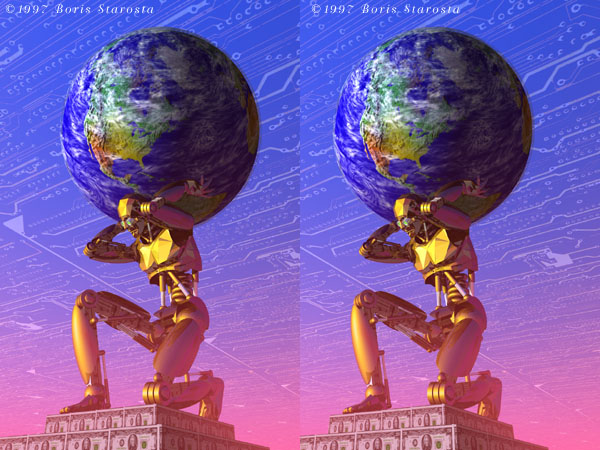
Side by side 3D is just an illusion, but actually pretty cool. When two videos or pictures are side by side you cross your eyes making them into one. This is called cross-eyed 3D. Here are some examples . . .
http://www.starosta.com/3dshowcase/3dimages/robotP.jpg
http://farm1.static.flickr.com/229/4850 ... 71dd6c.jpg
https://www.youtube.com/watch?v=foQNrtUsEjw (For this one go to 3D>Change Viewing Method> No Glasses.)
At first it feels weird, but you'll get used to it