Page 1 of 1
NDS Drivers not installing W10
Posted: Sun Jul 12, 2026 8:10 pm
by autumnkoneko
Trying to get some help regarding drivers not working on a new PC. I've tried everything I can think of, multiple restarts, trying all available drivers, turning off signature requirements through admin commands, different USB ports, however no matter what I've tried my PC isn't even registering that the capture card has been plugged in. On another PC that already had the drivers, it works just fine so it's not a cable or hardware issue, but after multiple attempts nothing is showing up on my current PC in device manager and there's no "USB plug-in" sound like what I get on my old PC. Capture card install was done circa Feb 2023 for what it's worth. Any help is appreciated, thanks.
Re: NDS Drivers not installing W10
Posted: Mon Jul 13, 2026 8:43 pm
by Lorenzooone
autumnkoneko wrote: ↑Sun Jul 12, 2026 8:10 pm
Trying to get some help regarding drivers not working on a new PC. I've tried everything I can think of, multiple restarts, trying all available drivers, turning off signature requirements through admin commands, different USB ports, however no matter what I've tried my PC isn't even registering that the capture card has been plugged in. On another PC that already had the drivers, it works just fine so it's not a cable or hardware issue, but after multiple attempts nothing is showing up on my current PC in device manager and there's no "USB plug-in" sound like what I get on my old PC. Capture card install was done circa Feb 2023 for what it's worth. Any help is appreciated, thanks.
What does the capture card appear as on the PC where it works?
On the new PC, does something appear with a yellow triangle inside of "Device Manager"?
Are you sure the new PC is on Windows 10 and not Windows 11? As the solution may be different depending on the OS.
Re: NDS Drivers not installing W10
Posted: Mon Jul 13, 2026 10:28 pm
by autumnkoneko
Lorenzooone wrote: ↑Mon Jul 13, 2026 8:43 pm
autumnkoneko wrote: ↑Sun Jul 12, 2026 8:10 pm
Trying to get some help regarding drivers not working on a new PC. I've tried everything I can think of, multiple restarts, trying all available drivers, turning off signature requirements through admin commands, different USB ports, however no matter what I've tried my PC isn't even registering that the capture card has been plugged in. On another PC that already had the drivers, it works just fine so it's not a cable or hardware issue, but after multiple attempts nothing is showing up on my current PC in device manager and there's no "USB plug-in" sound like what I get on my old PC. Capture card install was done circa Feb 2023 for what it's worth. Any help is appreciated, thanks.
What does the capture card appear as on the PC where it works?
On the new PC, does something appear with a yellow triangle inside of "Device Manager"?
Are you sure the new PC is on Windows 10 and not Windows 11? As the solution may be different depending on the OS.
Nothing appears on Device Manager on new PC and it's for sure W10 -- W10 Pro ver 22H2, OS Build 19045.7417 . I say it's a "new PC" but it's an older one, just one I haven't been using the capture card on.
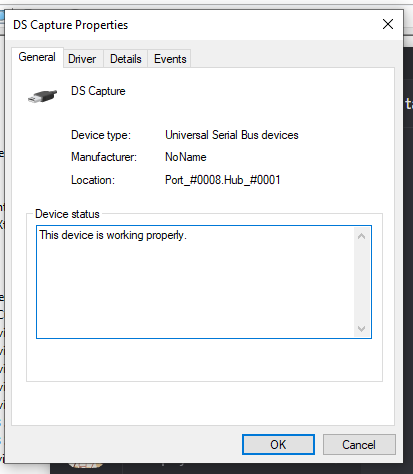
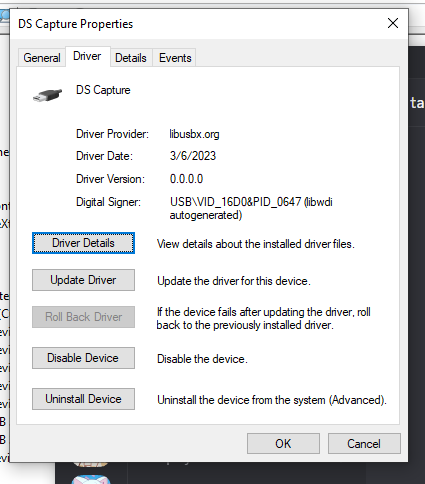
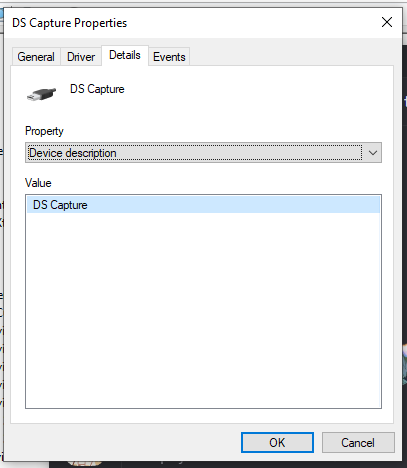
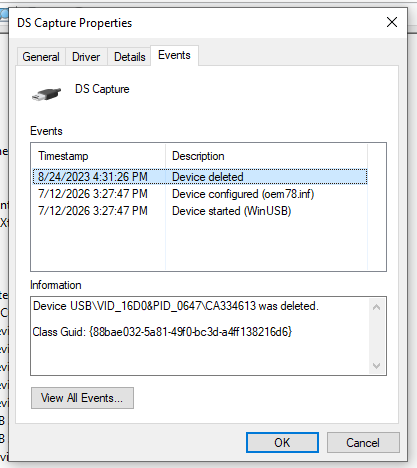
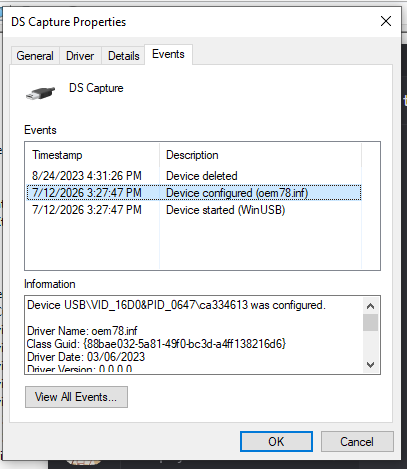
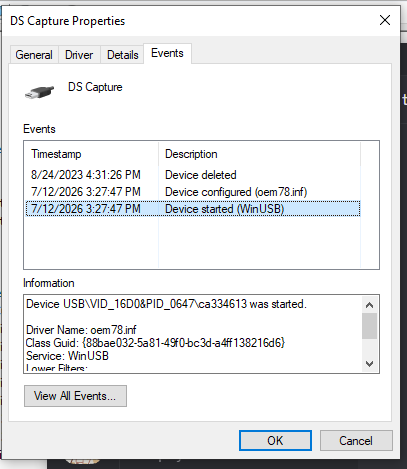
On the PC that it works on, shows the following in Device Manager. That one is also W10 Pro ver 22H2, OS Build 19045.7417
Re: NDS Drivers not installing W10
Posted: Mon Jul 13, 2026 10:47 pm
by loopy
If your PC can't even recognize that it's plugged in, I don't think that's a driver issue. Do other USB devices work?
Re: NDS Drivers not installing W10
Posted: Mon Jul 13, 2026 11:17 pm
by autumnkoneko
loopy wrote: ↑Mon Jul 13, 2026 10:47 pm
If your PC can't even recognize that it's plugged in, I don't think that's a driver issue. Do other USB devices work?
Yeah, other devices work in the same port and in different ports, just my PC isn't registering the NDS cap card at all.